
Skip to content
Phoenix Display International, Inc.

Replace a display

Cross Match

A 100% drop-in replacement for the display going end-of-life.

Tested in your application. If you aren't happy with the result, we won't invoice you.

Call us with whatever you have. No spec sheet needed. (630) 359-5700

Your display is ending. Your product line isn't.

When a display goes end-of-life, the product built around it can stop shipping. Cross Match fits the replacement into your product without re-engineering the enclosure or the host.

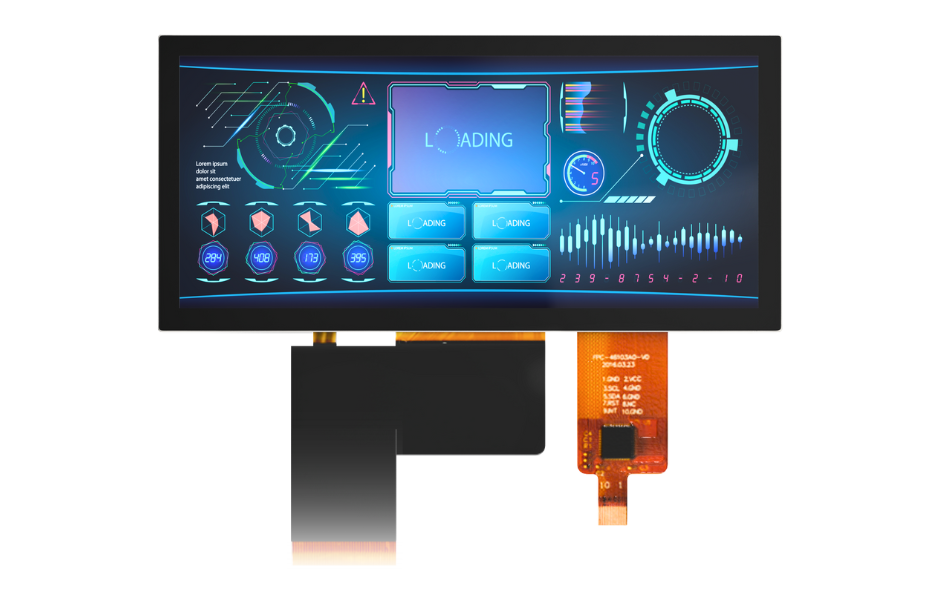
Phoenix Display color TFT module on its own
The display
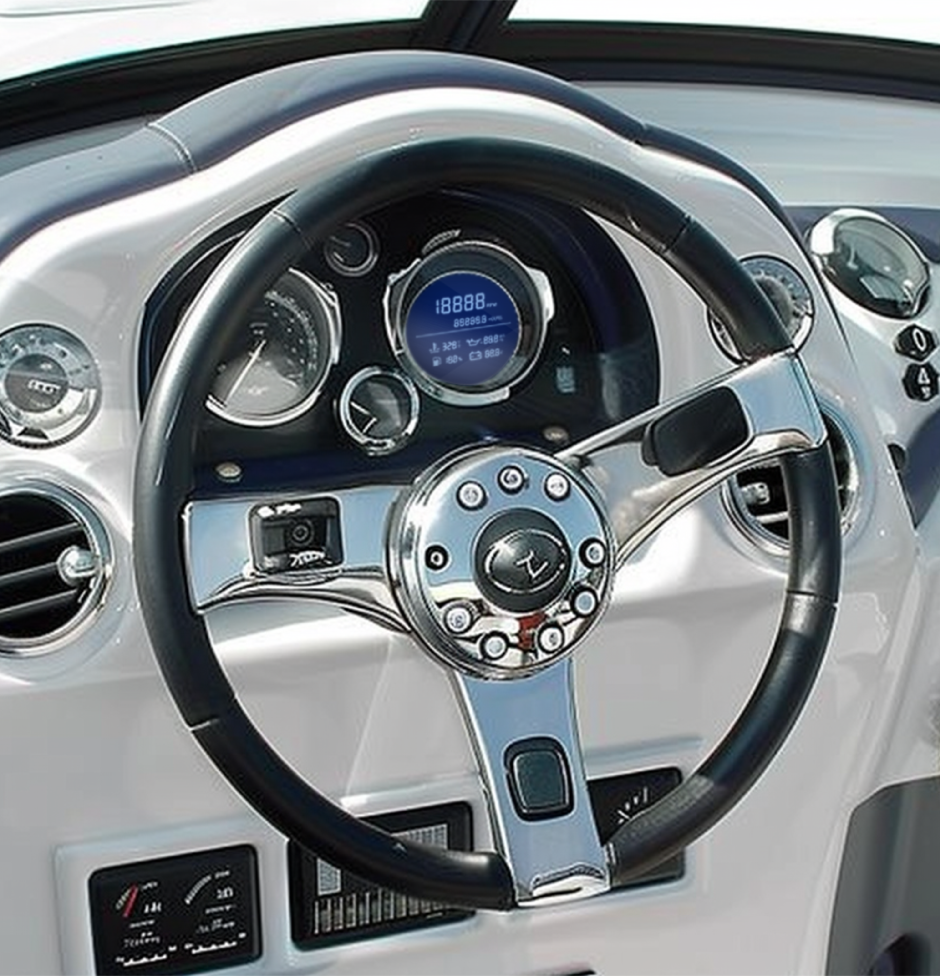
Boat helm with a Phoenix Display instrument screen installed
In a product

How Cross Match answers the Five Problems

  1. 1

    Obsolescence

    Your display is going end-of-life. Your product isn't.

    • Cross Match: a 100% drop-in replacement, matched to form, fit and function
    • Reverse-engineered from a working sample when drawings don't exist
    • Tested in your application. If you aren't happy, we won't invoice you
    Obsolescence: causes and solutions ›
  2. 2

    Delivery

    Late glass stops a line faster than anything else on the BOM.

    • Typically 6 to 8 weeks, expedited from 3
    • U.S. stocking programs for scheduled releases
    Delivery: causes and solutions ›
  3. 3

    Quality

    Process, not people. We don't believe in operator error.

    • First-article and reliability testing before volume
    • Root-cause analysis on your application, not just the display
    Quality: causes and solutions ›
  4. 4

    Performance

    Sunlight, temperature, viewing angle: specified, then proven.

    • High-brightness backlights and optical bonding for sunlight
    • Touch tuned for gloves, water and thick cover glass
    Performance: causes and solutions ›
  5. 5

    Cost

    System-level cost, not unit price. And the last reason to change.

    • Right-sizing the spec to how the display is really used
    • Total-cost reviews that count delays and failures, not just unit price
    Cost: causes and solutions ›

The program

Same fit. A better supply plan.

Cross Match is an engineering-led replacement program for an existing LCD. The goal is to preserve your product’s mechanical, electrical and optical requirements while addressing the reason you need to change suppliers—not just find a screen with the same size.

  1. 01

    Share the current display

    Send the part number or specification, annual volume and the problem you need to solve. Existing samples help engineering assess the fit.

  2. 02

    Review & quotation

    Phoenix reviews the root cause and replacement requirements, then proposes the design, tooling, cost and schedule for your program.

  3. 03

    Approve the drawing

    After the tooling order and sample review, Phoenix supplies a counter drawing for approval before tooling begins.

  4. 04

    Qualify & release

    Phoenix delivers samples. Your team qualifies them in the end product, reviews any revisions and gives final approval before production orders.

The supplied program brochure describes a typical 5–8 weeks for initial qualification units, with 2–3 weeks for revisions if needed. Customer qualification is customer-dependent. These are reference timings, not a delivery commitment; engineering confirms your schedule.

The brochure describes five supply problems. Early design reviews help address these risks before production. Compatibility is a program objective, confirmed through engineering and your application qualification.

Cross Match program PDF

Product lists & specifications

Phoenix-numbered reference editions of the supplied 2026 lists. These contain matched existing models—not the entire supplier lists or full electrical datasheets. Product-page specifications remain unchanged.

Phoenix Standard TFT Reference · Q4 2026

23 matched Phoenix models from 67 display rows. Unmapped parts, combined variant families and uncertain rows await engineering review.

View reference PDF
Find a listed model

Phoenix Extended TFT Reference · October 2026

133 matched Phoenix models from 274 display rows. Unmapped parts, combined variant families and uncertain rows await engineering review.

View reference PDF
Find a listed model

Values reflect the supplied lists. Any difference from a product page, missing value or option must be resolved by engineering before release. No price, stock status or lead time is implied.

What the specs mean

Size & resolution

Diagonal is the screen size in inches; resolution counts horizontal × vertical pixels. RGB describes color subpixels, not three times the usable resolution. Matching these alone does not establish compatibility.

Outline & active area

Outline (O.D.) is the module envelope, usually width × height × thickness in mm. Active area (A.A.) is the image-producing area. Check bezel openings, mounting, cable exits and tolerances against the approved drawing.

Interface & driver IC

SPI and MCU are commonly used with smaller displays; RGB, LVDS, MIPI DSI and eDP carry image data differently. The driver IC controls the panel. Connector, pinout, voltage, timing and initialization must all be reviewed.

Brightness

Nits and cd/m² express the same luminance unit. Brightness alone does not prove sunlight readability: reflections, cover glass, optical bonding, temperature and power also matter. Slash-separated values may describe variants, not selectable settings.

Viewing & panel mode

IPS and TN describe panel technologies. 6H and 12H indicate a preferred viewing direction; they are not viewing-angle degrees. Confirm contrast and color from the angles your users need.

Touch & cover glass

CTP is capacitive touch; RTP is resistive touch. A listed touch option does not mean touch is included. Check the controller, touch interface, gloves, moisture and cover-lens stack for your application.

Temperature & qualification

Operating temperature is the rated working range; storage temperature is different. It is not a certification for medical, automotive or outdoor use. Confirm the assembled product under its actual thermal and environmental conditions.

Touch-panel shorthand

G+G / G&G describes a glass-based touch stack. CG is cover glass; VA is its viewing window. AG, AR and AF refer to anti-glare, anti-reflective and anti-fingerprint treatments. Confirm each treatment and its test requirements.

Request an engineering review